
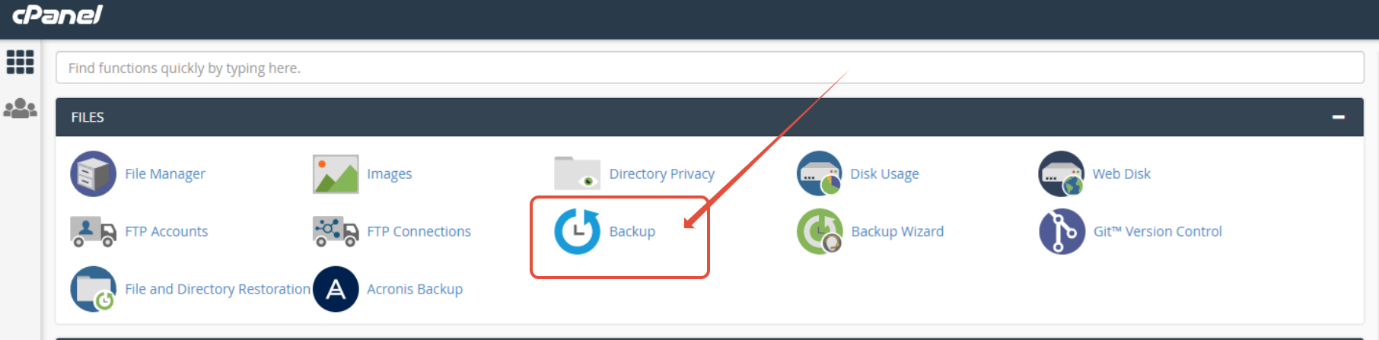
Login to cPanel Click on Backup
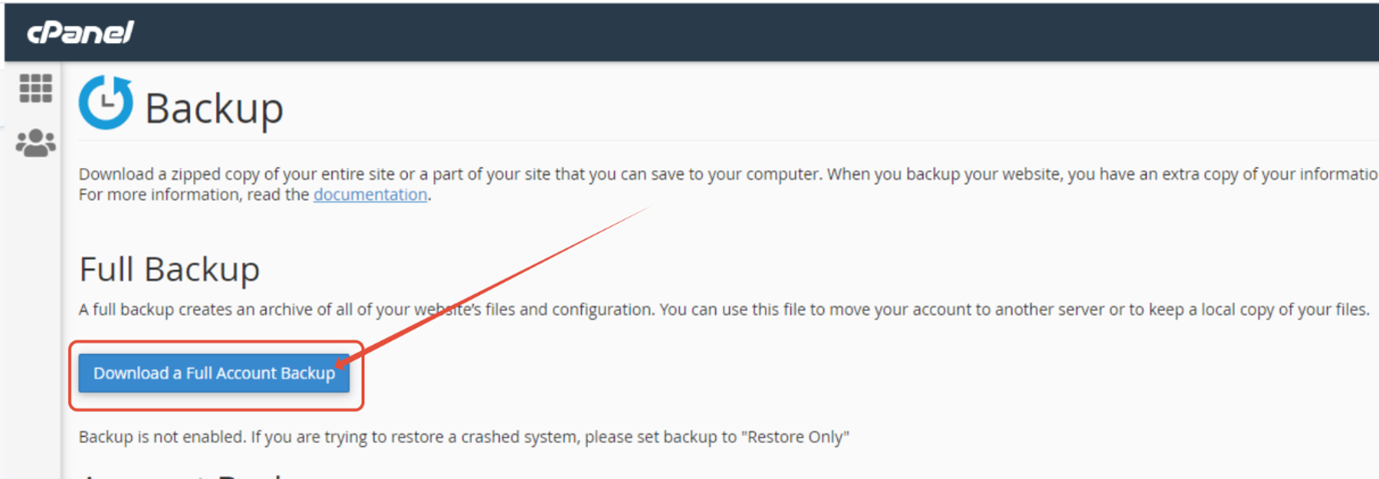
Click on Download a Full Account Backup
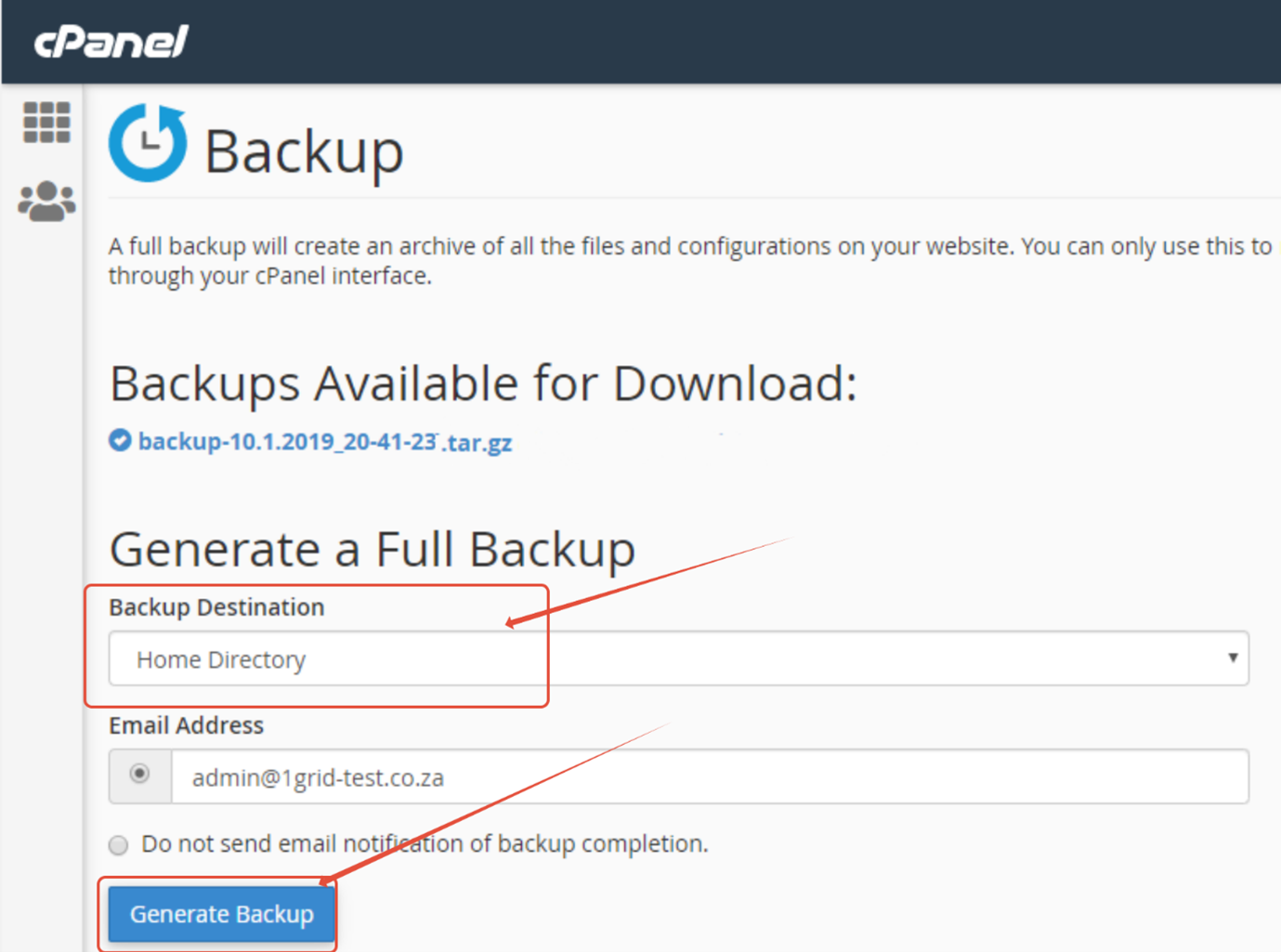
Choose backup destination and click generate backup
The backup destination is where your backup file will be saved once generated
Wait for file to complete

Once completed you will be able to download the file by clicking on it in your file manager
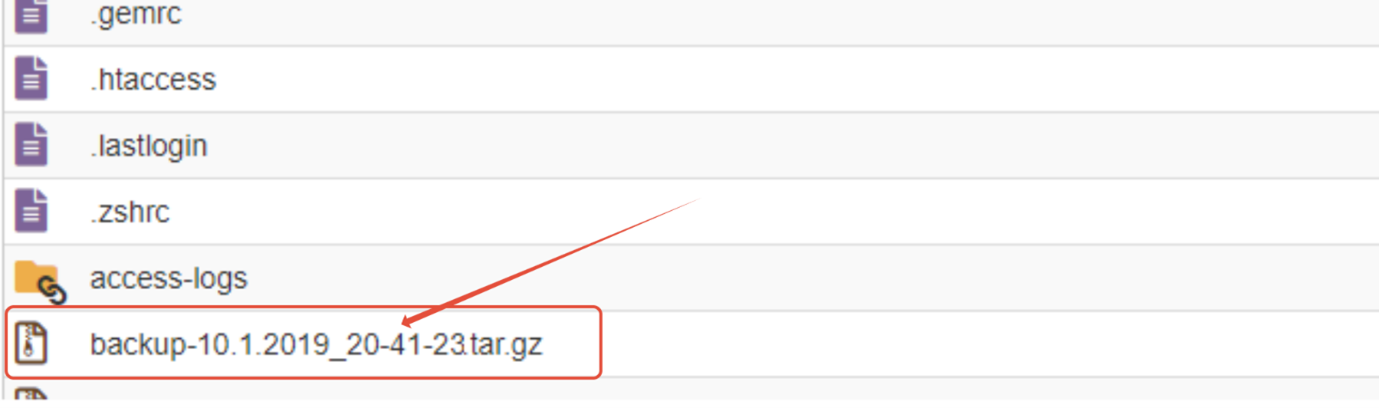
The file will download on to your computer